Velmi1337
Android 9+ · no root

CTSV: Circle to Search without root.

Bring Google’s screen search within reach. Start from a tile, hold and release a small zone, or map your own shortcut.

Requires the Google app, Google as your digital assistant, and Circle to Search availability for your device/account. CTSV cannot enable a feature Google has blocked.

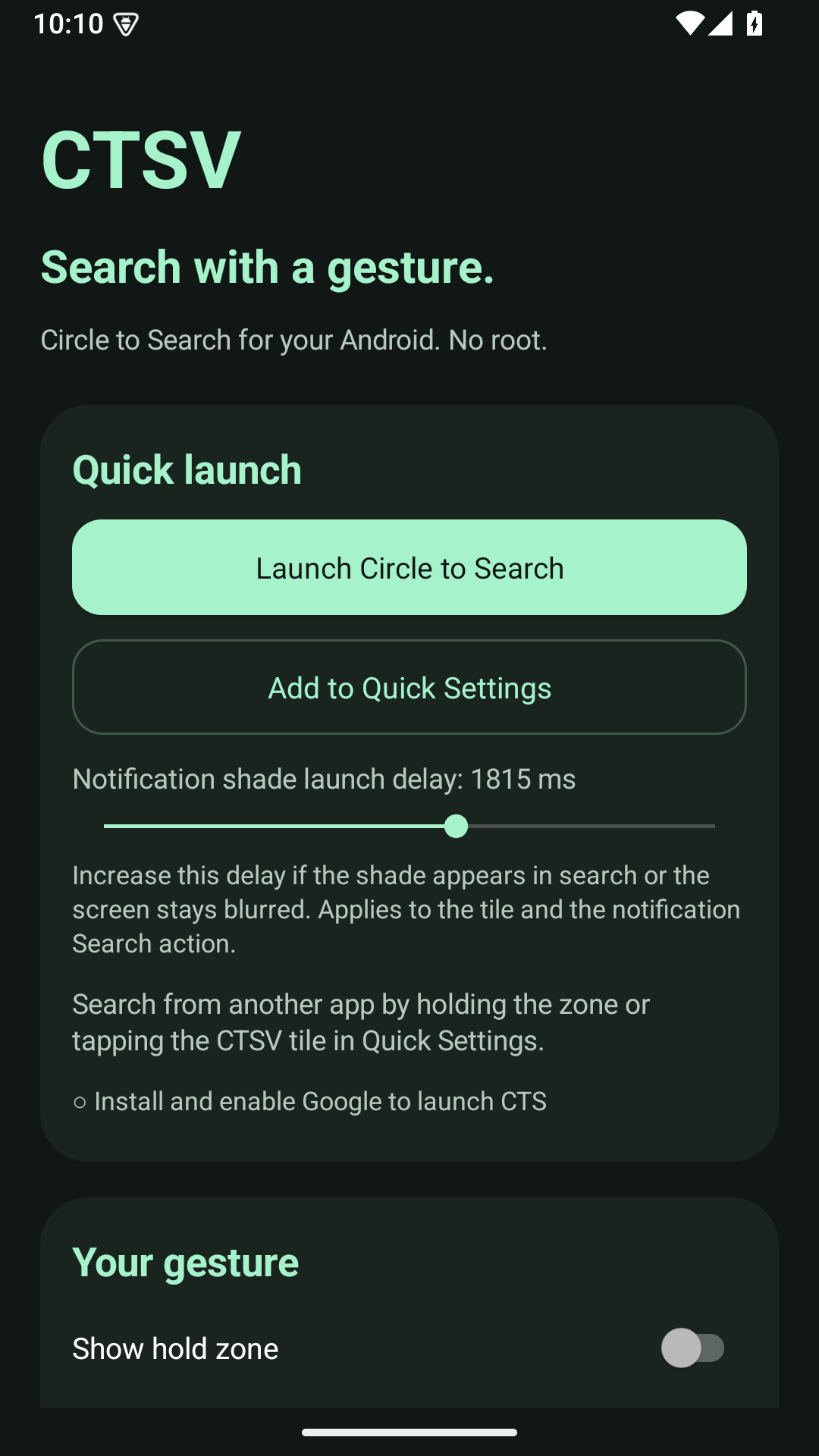
CTSV Android settings showing Quick Settings setup and a configurable launch delay
Getting started

Set up your first search.

  1. Install the APK from the latest GitHub release. Official updates use the same signing key.
  2. Install or update Google, choose it as your digital assistant in Android settings, then test Launch Circle to Search.
  3. Tap Add to Quick Settings and confirm Android’s prompt. Custom/older panels may need manual tile editing.
  4. For a hold zone, enable it and choose standard overlay or accessibility mode. Hold for the configured duration, then release after the haptic cue.
Read the documentation

Choose how it starts.

TriggerRequired accessWhen to use it
Quick Settings tileNeither hold-zone permissionA simple trigger with the lowest background overhead.
Standard hold zoneDisplay over other apps; foreground notificationA persistent touch target without accessibility access.
Accessibility hold zoneEnabled accessibility serviceAn alternative overlay mode; no window-content reading.
Automation shortcutYour automation tool / firmware supportLaunch app.ctsv/.TriggerActivity from a custom action.

Tune the gesture, not your phone.

Hold duration, width, left/center/right position, navigation offset, opacity and haptic feedback are configurable.

If search captures the shade or a blurred screen, increase the shade launch delay. The range is 200–3000 ms; 800 ms is the default. Try 1000–1500 ms for slower panel animations.

Successful requests do not show a toast. Diagnostics stay local. CTSV has no internet permission or analytics; Google handles the actual search.

Compatibility, honestly.

Android 9+ is the declared minimum; the automated emulator checks currently use Android 15. Actual CTS availability, closing behavior and vendor background restrictions need physical-device testing. The zone is separate from the system Home handle.

Read the detailed setup, battery behavior, privacy notes and test scope in the project documentation. CTSV is independent of Google and phone manufacturers.

Have a specific question or bug?

Read the setup guide first, then describe what you tried and what happened. Useful reports help improve the project.

Appearance

Theme
Accent color

Make this space yours. Your choices stay in this browser.